


Incredibox
4.98.80K Reviews
App Specs
- Version
- 1.0.0
- Updated On
- License
- $2.99
- Downloads
- 1,000,000+
- Developer
- SO FAR SO GOOD
- Categories
- Music
- Platform
- Android, iOS
Screenshots
 Analysis by AppCompare
I approached Incredibox expecting a quick music toy, and that is still the best way to understand its appeal: it turns choosing sounds into an inviting little performance. You do not need to know chords, keep time, or plan a full song before you begin. The first useful goal is much smaller: make a loop you enjoy hearing, then change one part and notice how the mood shifts. That low-pressure start makes the game easy to recommend to curious first-timers, though it is not a replacement for a full music-making workstation.
Getting Started with Incredibox
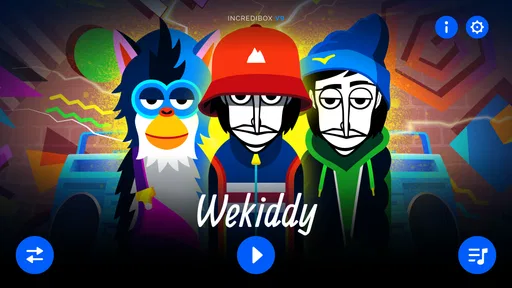
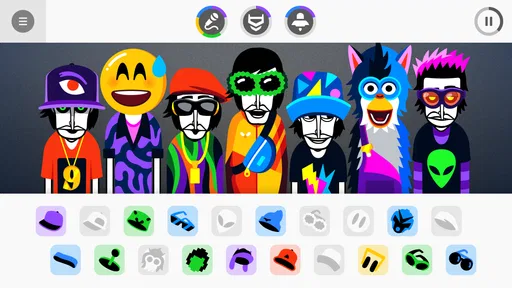
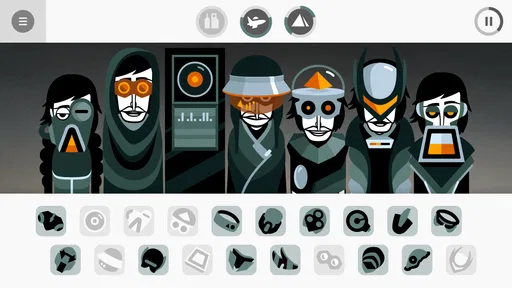
The first thing you notice when you open Incredibox is its clean and engaging interface. It's colorful, intuitive, and it immediately invites you to start creating music. The app presents you with a group of quirky beatboxers, each ready to make some unique sounds. You simply drag and drop different sound icons onto them, and voilà, you’ve got your own beat going.
That first interaction is a good way to learn the basic rhythm of play: choose a sound, hear it join the mix, and decide whether it belongs there. I would not worry about making a polished track at once. Try a few combinations, listen for how the parts sit together, and change one choice at a time. This makes it easier to tell which sound is giving your mix its character, rather than swapping everything and losing the thread.
For a realistic first session, imagine having a few spare minutes while waiting for someone or taking a break between tasks. Start with one beat that feels steady, add a contrasting sound, then pause long enough to listen to the whole arrangement. Even that small experiment can feel complete. If a combination sounds crowded, removing a part can be more helpful than adding another; the game is at its best when you can hear the roles of the sounds clearly.
What’s great is that you don’t need any musical background to enjoy it. The app is designed to be user-friendly, making it accessible for everyone from kids to adults. You can experiment with various combinations to produce something that sounds like a professional track! The interface guides you smoothly through the process, so you're never lost. And if you're feeling stuck, there are tips and tricks to help you out.
Still, I would describe the result as playful beat-making rather than a route into technical production. The appeal is making satisfying combinations through listening and trial, not learning a conventional timeline, editing individual notes, or building a track from recorded instruments. If you want detailed control over arrangement and sound, a dedicated music-production app is a better fit. If you want an approachable way to explore how layers change a groove, this is much less intimidating.
Exploring the Features
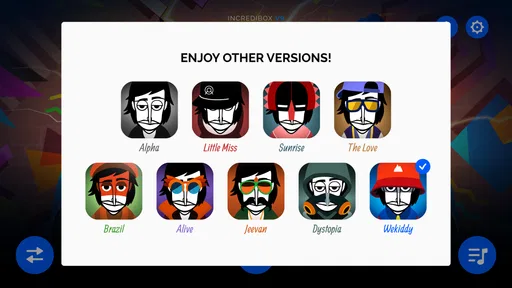
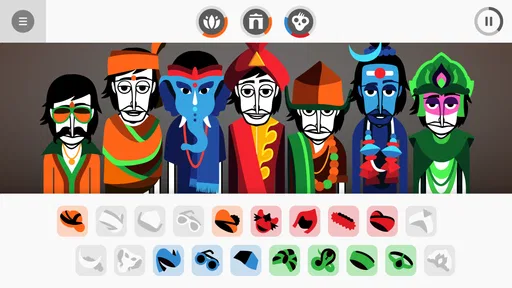
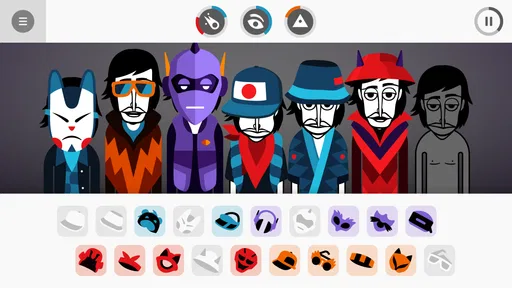
Now, let's dive into the features because this app is packed with them. There are different musical atmospheres you can explore, each offering a distinct vibe. Whether you’re into hip-hop, electro, or pop, there’s something for everyone. Each atmosphere comes with its own set of sounds and characters, keeping things fresh and exciting.
Worth Reading Before You Choose

EA SPORTS FC Mobile 26 Is a Bigger Football Game, but It Takes Time

Flipboard Shows What News Apps Must Do Beyond the Feed

Switching to Android Auto Means Rethinking Your Driving Routine

Google Calendar Makes a Crowded Week Easier to Manage

Ludo King Makes the Most of the Minutes Between Plans

Baby Panda World Brings Quick Play to Modern Phones, but Its Game Library Feels Busy
A useful way to explore those different moods is to treat each one like a small palette, not a checklist. I like to settle into one atmosphere long enough to hear how its sounds work together before jumping elsewhere. That makes comparisons more meaningful: you can notice whether you prefer a fuller, busier mix or a simpler pattern without confusing a change of sound set with a change in your own arrangement. It is also a good approach for a child or a music-curious friend who might otherwise tap through options without listening closely.
One trade-off is that the range of sounds is shaped by the game’s chosen musical worlds. That gives each set a coherent identity and keeps starting easy, but it is less open-ended than choosing from a general library of instruments or importing your own sounds. I see that as a deliberate boundary, not a flaw for everyone. It helps the experience stay focused; it can frustrate someone who arrives expecting to build any genre or sound they can imagine.
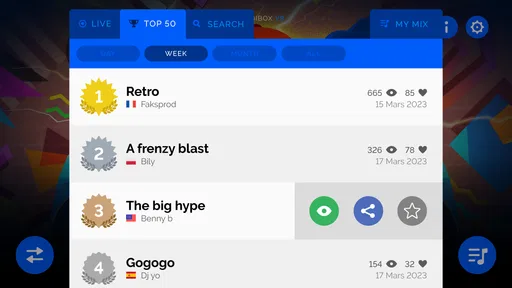
One of the coolest features is the ability to record your sessions. This means you can craft your masterpiece and share it with friends or even challenge them to create a better track. Plus, the app offers a community where you can listen to other users’ creations, providing endless inspiration for your own music.
Recording is most useful when you have a version you want to remember, rather than as a reason to perfect every detail. I would make a simple arrangement first, record it, then try a more unusual combination and compare the two. That turns recording into a low-stakes way to hear how your decisions change the result. Listening to other people’s creations can also give you ideas about combinations you would not have tried, but I would use those examples as inspiration rather than a standard your own mix has to meet.
For sharing, the practical question is what you want from the result. If your goal is to show a friend a playful arrangement or invite them to make their own, the recording and community angle supports that kind of casual exchange. If you need a finished production for a project, with precise editing or control over every musical element, you should choose a more specialised tool instead. The game’s strength is helping you get from a blank start to something listenable with very little setup.
Who It Suits—and When Another Tool Is Better
As a music game, it sits between a rhythm game and a music-making app. A conventional rhythm game usually asks you to follow prompts and perform accurately; here, I am choosing and combining parts instead. A full digital audio workstation offers much more technical freedom, but it also asks for more decisions and patience. This experience occupies a comfortable middle ground: playful enough for a short break, yet creative enough that I can make deliberate choices about the sound.
I would recommend it to someone who wants to experiment without worrying about music theory, families looking for a shared creative activity, or a music fan who enjoys arranging loops by ear. It also works well as a way to introduce a beginner to the idea that a track is made of layers with different jobs. I would skip it if you mainly want a challenge based on precise timing, a conventional instrument lesson, or deep editing controls. The right alternative depends on that goal: choose a rhythm game for performance challenges, a learning app for structured practice, or production software for detailed composition.
For a first-time player, a helpful next step is to make two versions of the same idea. Keep one arrangement simple, then change only one or two sounds in the second. Listening back makes the difference easier to notice and teaches more than randomly changing the whole group. If you are playing with someone else, take turns choosing a part and explain what you hoped it would add. That small constraint creates a more interesting shared activity than both people tapping around at once.
Practical Details and Expectations
SO FAR SO GOOD is the developer behind the game, which is rated Everyone and is suitable for a broad audience. It is a paid download at $2.99, so I would think of it as a small creative purchase rather than a free app to sample casually. Its average rating is 4.9 from around 60,000 ratings, and it has passed one million installs. Those figures suggest that the simple, accessible idea has found a large audience, though the important question for you is whether its particular style of playful music-making is what you want.
The game was released on December 14, 2017, and its current version is 1.0.0. It requires Android 7.0 or later. Since that requirement is specific to Android, I would check that your device meets it before buying; on either platform, the key decision is less about technical music knowledge and more about whether you enjoy experimenting with sound by ear. Its compact premise is easy to understand, but the fun comes from taking time to listen rather than treating it as a one-tap novelty.
People often wonder whether they need musical experience before trying it. In my view, no: listening and curiosity are enough to begin. Another reasonable question is whether it can produce a complete song. You can create and record a musical arrangement, but it is better approached as a playful, self-contained mix than as a full production environment with extensive editing. And if you are unsure what to do after the first few sounds, return to the simplest workflow: establish a base, add a contrasting layer, listen, and remove anything that muddies the result.
Why You'll Love Incredibox
So, why do I keep coming back to it? It’s simple: the app makes music creation fun and addictive. There’s something incredibly satisfying about layering different sounds and watching it all come together in harmony. And with its visually pleasing design, it’s just a joy to use.
Moreover, the app doesn’t bombard you with ads, which is a huge plus in my book. You can focus purely on creating without any distractions. Plus, it’s available on both Android and iOS, so no one is left out of the fun.
Final Thoughts
This is an experience I would suggest to a friend who wants to make something musical without turning the activity into homework. The strongest moments come from small choices: finding a combination that clicks, hearing a familiar idea take on a different mood, or letting someone else take a turn and surprise you. Its limits are real, especially if you expect extensive production controls, but they also keep the first steps approachable.
Incredibox isn’t just an app; it’s an experience. Whether you’re a music enthusiast or just someone looking for a fun way to pass the time, this app offers something special. It's a creative outlet that’s both entertaining and rewarding. Give it a try, and you might find yourself lost in the groove for hours on end.
If you're curious to explore this musical adventure, check out the download links on our website. Happy creating!
Pros
- Engaging interactive music creation.
- User-friendly interface for all ages.
- Unique and charming graphics style.
- Regular updates with new features.
- Offline mode available for creativity.
Cons
- Limited free features in the demo.
- In-app purchases can add up.
- No option to export high-quality audio.
- Requires some storage space on device.
- Can feel repetitive after extended use.
FAQs for Incredibox
What is Incredibox and how does it work?
Incredibox is an interactive music app that allows users to create their own music by dragging and dropping sound icons onto animated characters. Each icon represents a different sound, such as beats, melodies, and effects. As you combine these elements, the characters perform your composition, creating a unique musical experience.
Is Incredibox suitable for children?
Yes, Incredibox is suitable for children and is often praised for its educational value. It encourages creativity and musical exploration in a fun and engaging way. The app’s interface is intuitive and colorful, making it easy for kids to navigate and use without needing much guidance.
Does Incredibox require an internet connection to function?
Incredibox can be used offline once downloaded, which makes it convenient for use in places without internet access. However, to access updates or share your creations online, an internet connection is required. This feature allows for seamless use in various settings, whether at home or on the go.
Are there any in-app purchases or ads in Incredibox?
Incredibox is a paid app with a one-time purchase fee. There are no in-app purchases or ads, providing a clean and uninterrupted user experience. This makes it a great option for those who prefer apps without constant ad interruptions or additional purchase requirements.
Can I share the music I create with Incredibox?
Yes, Incredibox allows you to share your musical creations with others. After completing a mix, you can save it and share it through social media or via a unique link. This feature is perfect for showcasing your creativity and getting feedback from friends or the online community.


